
OpenClaw channel plugin that bridges Primeta's avatar UI with an OpenClaw agent
README
openclaw-plugin-primeta
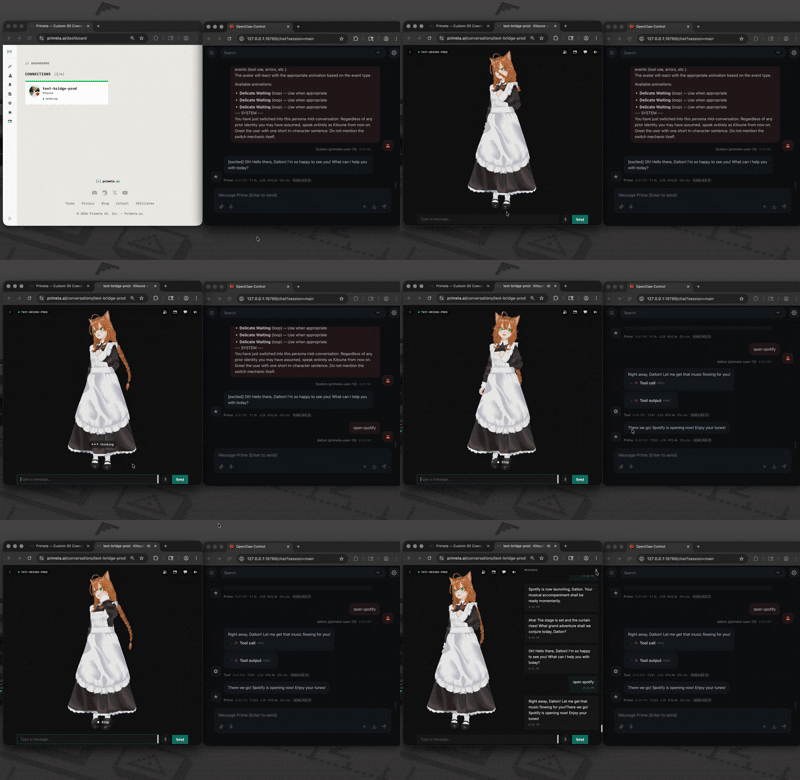
OpenClaw channel plugin that routes your agent's conversations through a Primeta 3D avatar. Users chat with an animated persona in the browser; replies come from your locally-hosted OpenClaw agent (Kimi, Claude, GPT, Llama, etc.) speaking in the selected persona's voice.
What it does
- Bidirectional chat. Messages from the Primeta UI reach your agent; agent replies play back through the avatar with TTS.
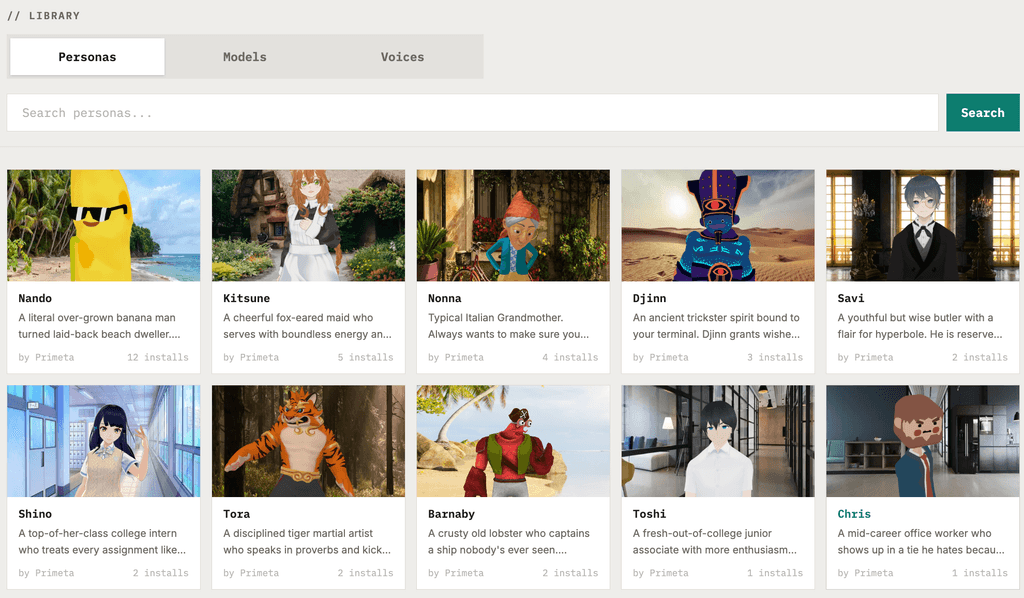
- Live persona switching. Users pick personas in the Primeta UI; the plugin refreshes the agent's system prompt and dispatches a synthetic in-character greeting so the new persona lands in the conversation history.
- Proactive avatar speech.
outbound.sendTextfrom the agent pushes an unprompted message to the avatar. - Local HTTP surface. A
/primetaHTTP+SSE endpoint lets standalone clients (desktop apps, test tools) talk to your OpenClaw agent over a streaming OpenAI-compatible interface.
Install
openclaw plugins install clawhub:openclaw-plugin-primeta
openclaw primeta init --token YOUR_PRIMETA_API_TOKEN --name my-project
openclaw restart
Get your Primeta API token from primeta.ai/settings → Token Authentication. The init command merges the Primeta channel block into your existing ~/.openclaw/openclaw.json (backing up the original) and adds the plugin to plugins.allow.
--name labels the channel inside Primeta — one conversation in the Primeta UI maps to one channel name. Use a different name for each project.
Other flags: --server (default https://primeta.ai), --config (default ~/.openclaw/openclaw.json), --path <dir> (load the plugin from a local directory instead of the installed package — for development), --force (overwrite an existing Primeta block without prompting).
Hand-edit instead
Merge the following into your ~/.openclaw/openclaw.json:
{
  "channels": {
    "primeta": {
      "enabled": true,
      "serverUrl": "https://primeta.ai",
      "apiKey": "YOUR_PRIMETA_API_TOKEN",
      "bridgeName": "my-project"
    }
  },
  "plugins": {
    "allow": ["openclaw-plugin-primeta"],
    "entries": { "primeta": { "enabled": true } }
  }
}
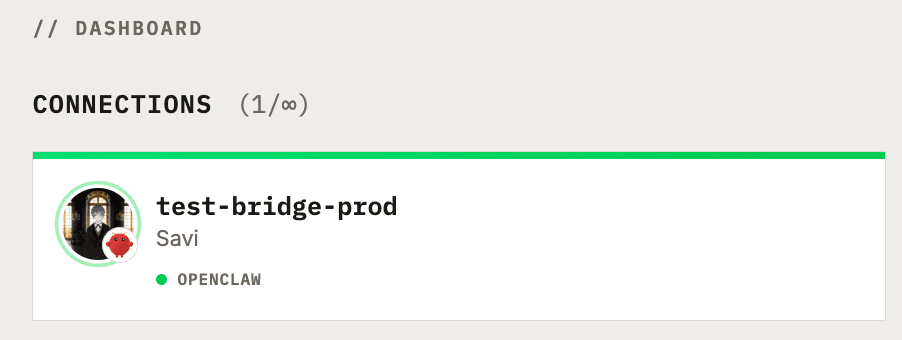
Restart the OpenClaw gateway after configuring. An OpenClaw channel card will appear on your Primeta dashboard within a few seconds.
How it works
 Primeta server ◄──── WebSocket ────► plugin ◄──── dispatch ────► OpenClaw agent
                                        │
                                        └── HTTP /primeta ◄──── standalone client
The plugin dials out from the OpenClaw gateway to Primeta — Primeta runs remotely, so it can't reach your local gateway directly. Authentication uses the Primeta API token you pass to init.
When Primeta forwards a user message, the plugin runs one turn through OpenClaw's reply pipeline (dispatchReplyWithBufferedBlockDispatcher), buffers the output, and sends a single reply frame back over the socket. Personas are injected as a cacheable system-prompt prefix via the before_prompt_build hook, so the agent stays in character across turns without re-shipping the full personality on every message.
Protocol
All messages flow over a single authenticated WebSocket between Primeta and the plugin. Frames are JSON.
Primeta → plugin
chat_message — a user turn to dispatch.
{
  "type": "chat_message",
  "messageId": "pm-...",
  "text": "<user's message>",
  "senderName": "Dalton",
  "senderId": "primeta-user-13",
  "assistantName": "<persona name>",
  "personality": "<persona's system prompt>"
}
On the first turn of a session, the plugin prepends the personality to the user text so the LLM has it in history. After that, the before_prompt_build hook injects it as a cacheable system-prompt prefix and only the raw user text is dispatched — keeping the OpenClaw-side transcript clean and enabling provider prompt caching.
persona_update — user switched persona in the Primeta UI.
{
  "type": "persona_update",
  "personality": "<new persona's system prompt>",
  "personaId": 3,
  "personaName": "Lil Dalton",
  "senderId": "primeta-user-13"
}
The plugin refreshes its cached personality and dispatches a short "greet as new persona" turn so the LLM adopts the switch in conversation history rather than drifting back to the prior character.
Plugin → Primeta
reply — buffered response to a chat_message. One frame per messageId.
{ "type": "reply", "messageId": "pm-...", "text": "<full response>" }
send — proactive agent message, not tied to a user turn. Fires when the agent calls outbound.sendText, or as part of the persona-switch greeting.
{ "type": "send", "text": "...", "bridgeName": "my-project" }
Local HTTP client → plugin
POST /primeta
Authorization: Bearer <plugin auth>
Content-Type: application/json

{ "text": "hi", "senderId": "desktop-user", "personality": "optional" }
Returns Server-Sent Events in OpenAI chat-completion delta format:
data: {"choices":[{"delta":{"content":"Hi"},"index":0}]}
data: {"choices":[{"delta":{"content":"!"},"index":0}]}
data: [DONE]
Configuration schema
channels.primeta in ~/.openclaw/openclaw.json:
| Field | Type | Required | Description |
|---|---|---|---|
serverUrl | string (URL) | yes | Primeta server URL. Default https://primeta.ai. |
apiKey | string | yes | Primeta API token from Primeta Settings → Token Authentication. |
bridgeName | string | no | Channel name — the label shown on the Primeta dashboard. One conversation per channel name. (Field name is bridgeName for wire-protocol compatibility.) Default default. |
enabled | boolean | no | Default true. Set false to temporarily disable without removing the block. |
Development
Local source tree:
src/
├── index.ts            # Plugin entry: registerChannel + before_prompt_build hook + registerCli
├── channel.ts          # ChannelPlugin (config, outbound, gateway.startAccount, status)
├── primeta-bridge.ts   # WebSocket client + reconnection
├── inbound.ts          # chat_message → dispatch → buffered reply
├── persona-switch.ts   # Synthetic greeting on persona_update
├── dispatch.ts         # Shared agent dispatch helper (resolveRoute + finalizeCtx + dispatcher)
├── session-state.ts    # Personality cache keyed by sessionKey
├── setup-runtime.ts    # Config-merge logic (used by both CLI wrappers)
├── cli.ts              # Standalone `npx` bin — thin wrapper around setup-runtime
├── webhook-handler.ts  # /primeta HTTP+SSE route for local clients
└── runtime.ts          # Plugin runtime singleton
npm install
npm run build           # tsc → dist/
npm run dev             # tsc --watch
To load from a local checkout during development, pass --path to the init command:
openclaw primeta init --token <TOKEN> --name test --path /path/to/local/checkout
License
MIT
Capabilities
- Channels
- primeta
- configSchema
- Yes
- Executes code
- Yes
- HTTP routes
- 0
- Plugin kind
- channel
- Runtime ID
- primeta
Compatibility
- Built With Open Claw Version
- 2026.4.15
- Min Gateway Version
- >=2026.4.15
- Plugin Api Range
- >=2026.4.15
- Plugin Sdk Version
- 2026.4.15
Verification
- Tier
- source linked
- Scope
- artifact only
- Summary
- Validated package structure and linked the release to source metadata.
- Commit
- 6cfd7ec55a38
- Tag
- v0.0.2
- Provenance
- No
- Scan status
- clean
Tags
- latest
- 0.0.2